Posted in 21st Century Learning, Ideas, Links, PBL, Presentations, Projects, QR Codes, Roanoke County Schools, STEM

Presenting the Oak Grove Digital Archive

The teachers at Oak Grove Elementary decided, during a faculty book study meeting, to create a digital archive on their school website to display all the wonderful projects there students were creating for STEM, PBL, and 21st Century Learning.  They wanted a way for parents and students to have “copies” of the three dimensional group projects the students were creating. Also, they wanted to showcase digital projects that their students were creating with iPads and other devices.  Take a look here:

The Oak Grove Digital Archive

The newest step in this adventure is to also post QR codes around the school.  Parents can scan the QR codes to see the virtual projects or read more about the things their children have been creating in class.  It is a physical way to display work in the hall with a digital link.  Take look at some of the teachers’ displays:

I’m really excited about the ways teachers are taking technology to the next level at Oak Grove.  Stop by their site and see what you think!

Posted in iPad, Projects, QR Codes, Reading, Roanoke County Schools, Writing

A Wild, Wonderful World

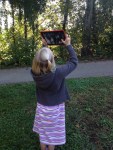
Students in Mr. Ryder’s class embarked on a project allowing them to explore the world around Oak Grove Elementary, searching for hidden beauty and wonder.  It was based on the story Wild Shots, written by Tui De Roy for Ranger Rick magazine.  In the article, Tui shared her “Up-Close and Personal” approach to nature photography.  During a four session project, students used iPads to take pictures of things animals, plants, or anything that fascinated them.

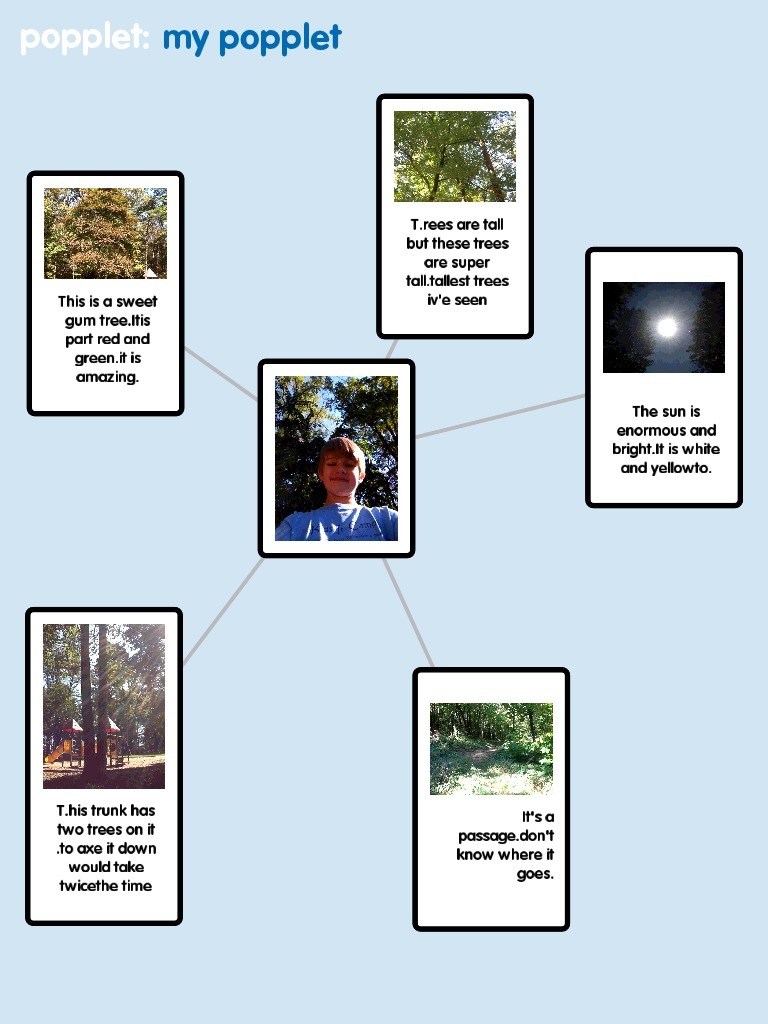
They created descriptions about their pictures using the app, Popplet.  Then using the app Videolicious, they created a slide show with their pictures and descriptions.  On the final day of the project, they presented their slide show to the class.  To display them in the hall, they posted their popplets with QR code links to their videos.


Here’s one example:

Watch the example video here.

2-17

You can see all the project on the Oak Grove Digital Library, complete with Popplets and Videos!  Please take a look.  The kids are so proud of their work.


Posted in Ideas, iPad, Roanoke County Schools, Spanish

Spanish on iPads

I have had a few requests for good Spanish apps.  I haven’t found any I LOVE, but I did find something in iTunes U.  For those of you who took the last inservice, you know I professed a love for Boyne City Schools.  They have issued iPads to EVERY student, so they have tons of units in iTunes U that students can complete on the iPads.  And lo and behold…they have a 5th grade Spanish unit (but I think it would work for 3-5)!!  It has some great videos, and ideas for activities to do on the iPads. If you want to take a look on your teacher iPad, first download the iTunes U app.  Then search the catalog for Boyne City Schools.  The unit is called 5th Grade SPN Resources. Check out the other units while you’re there!
And, because of that unit, I found a new app that I love! It’s called FaceTalker!  It’s free, and could be used in any subject (or grade level).  I don’t like a couple of the available themes, but they aren’t too too bad, and I won’t download them on student iPads.  The idea is that you take a picture (with the camera or one you already have–think famous American), and then make the picture talk.  (It reminds me of a modern version of Blabberize).
Here the links to all these things (use your iPad to click on them):
I’d love some suggestions for good, kid friendly apps for Spanish that are free.  If you know of any, please let me know!
Posted in Guidance, iPad, Projects, Roanoke County Schools

Hands are for Helping


Kindergarteners have been learning about using their hands for helping while in Guidance class this month.  First, Mrs. Pettipiece read them the book, Hands Are Not for Hitting by Martine Agassi, PhD.  Then students practiced identifying positive ways to use their hands. To end the lesson, students use the app, Story Kit, to take their own picture and record their voices describing ways they use their hands for helping.


Their final creations are below!  Turn up your volume and take a listen!

Mrs. White’s Class

Mrs. Fox’s Class

Mrs. Blankenship’s Class

Mrs. DeWeese’s Class

Cross Posted at Oak Grove Elementary Digital Archive.

Posted in iPad, Projects, Roanoke County Schools, social studies

Diversity Pic Collages

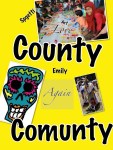
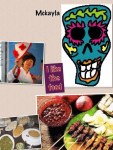
Mrs. Chamberland’s Social Studies class is studying Diversity.  This past week, they used the iPad app, Pic Collage, to create digital posters showing what diversity in the United States look like.  Here was their challenge:

Create a Pic Collage that helps show what diversity in Virginia looks like.  Include pictures and words.  You must have 3 examples of ways you see diversity in your life. You must use pictures and words in your collage.

Their projects are below!