Posted in iPad, Lessons, Projects, Reading, Roanoke County Schools, social studies

Learning about Rosa Parks with iPads

This past week, fourth graders at in Mrs. Mulvaney’s, Mrs. Downey’s, and Mrs. Wallace’s reading class have  been learning about Rosa Parks while reading the book, Rosa Parks Freedom Rider by Keith Brandt and Joanne Mattern.

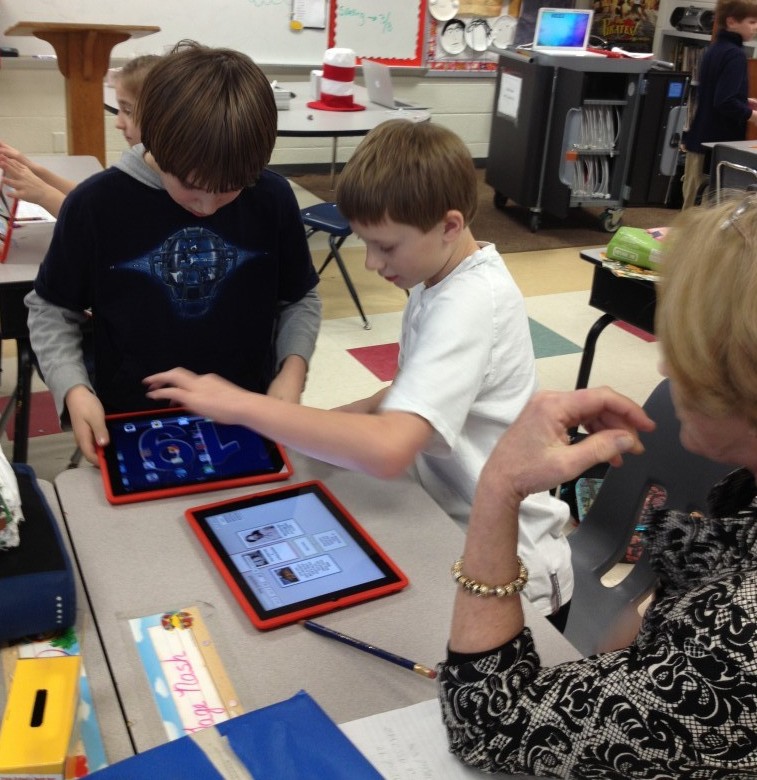
To augment what they were learning in the book, they also practiced research skills to learn more about her. They used Mobicip, Popplet, and Videolicious to create videos about the facts they learned.

The project started with Mobicip. Because Safari is not filtered very much in our school system, we have opted to use Mobicip instead. Mobicip looks a lot like Safari (with tabs and a search box) and allows students to save images in the same way. Students practiced finding relevant websites to find facts about Rosa Parks and saved copyright friendly pictures of her to the iPad Camera roll.

Once students had saved pictures and done their research, they used Popplet to create a concept map. This concept map wouldserve as a storyboard for their Videolicious videos.
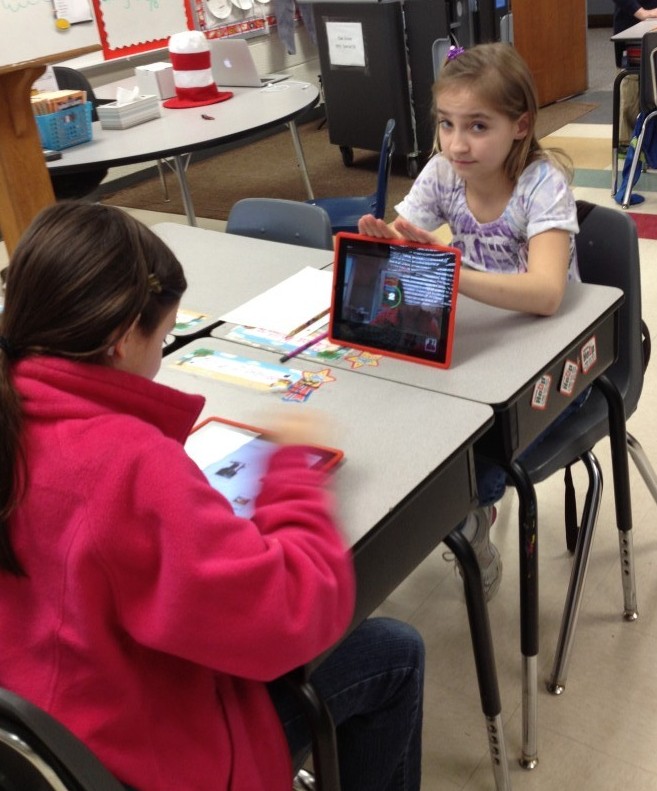
Finally, students partnered up. One student opened up the popplet they had created on one iPad and the other student opened up Videolicious on the other ipad. The students choose the pictures they wanted for their video. Then, the second student videoed the first student while he or she used their popplet as a guide.


It was great fun and the students learned a lot…and it was very easy. It was nice to be able to research, brainstorm, and create all on the iPad right in the classroom.

This project also made it easy to see where there were gabs in the knowledge of students, which teachers then could address.

Take a look at a few of their final projects!

Rosa Parks Example 1
Rosa Parks Example 2


Posted in Blogs and Blogging, News, Roanoke County Schools

Blog Excitement

There is quite a bit of excitement in the 4th and 5th grade hall at one of my schools.  And believe it or not, it’s all about WRITING.  Yep!  Writing journal entries, writing free writes, writing news reviews, writing assignments.  Why? Because students here are using blogs to write!

After a few lessons on safety, blog set up, writing blog posts, and commenting on blogs, these students took their blogs and ran with them.  It amazes me every time I walk in the computer lab and hear excited writing discussions, or in the hall or lunch room.  I even heard a group of students discussing what they wrote (or were going to write) outside on the playground!  And really, they have just scratched the surface.  They have been commenting on each other’s blogs, but really staying within their own school.  Today I challenged them to branch out and read other class’ blogs around the world.  And once again, the excitement was palpable…

I want to try and encourage their efforts by finding folks to comment on their blogs as well.  I’ve been following the #comments4kids hashtag on Twitter, and reading through the Comments4Kids site to find other similar classrooms.  And now, I’m posting here too in hopes that you might have  a moment to leave a comment (and a location) on one of their blog entries.  If you have time, here they are:

5th Grade

A big, big thanks in advance, and an offer to return the favor.  Leave me a comment (with a url) if you want me to comment on some of your students’ blogs!

Posted in iPad, iPod Touch, QR Codes, Roanoke County Schools

Safe QR Code for YouTube Videos

Want to have a video center using iPads and iPods and Youtube videos?  Want to make sure there’s no ads or other videos included?  Then use SaveShare.TV.

AND…you can even use this site in conjunction with QR Code Generator to create QR Codes that link to these safe videos.  Here’s how:

1) Find the video you want to use on YouTube.

2) Copy the link into SafeShare.TV Site.

3) Copy the link you get from SafeShare to a QR Code Generator.  Make sure you choose “website url” for this, not Youtube Video.

4) Download the QR code for that video to use.  We use QR Code Readers such as i-nigma and Scan on the iPads and iPod Touches to scan the QR codes and watch these videos.

Try it out with the QR Code below: