
Need a fun, cross curricular way to introduce Latitude and Longitude to your students? Here’s a Math/Social Studies Lesson using spies, secret codes, and google earth. What can be better than that?
It addresses Math SOL 4.15, 5.14 and Global Studies SOL GS.1.
First, make sure students understand how to use Google Earth to find specific points on Earth using latitude and longitude. You will want to make sure that the status bar in google earth is showing (View>Status Bar) so that you can clearly see the latitude and location of your point on the globe. You will also want to cut off all layers except those that show countries.

If you are using the Google Earth App on an iPad (or iPod), make sure to change a few settings.
Check out How to Change Settings in Google Earth by Tina Coffey on Snapguide.http://images.snapguide.com/static/js/embed/script.min.js
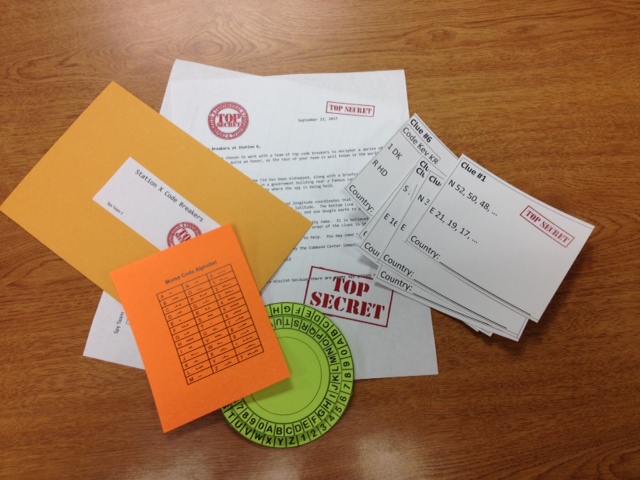
Students also need some background in finding patterns in a series of numbers. It may also help if they’ve done a bit of code breaking before (although it’s not necessary). Then, present groups of students with their secret envelope and access to Google Earth, and sit back to see what they can figure out!
Here’s are the documents to create your own Mission packets:
Mission 005 – Latitude and Longitude
I’m working on a follow up STEM activity that has students designing their own codes. I’ll add it when I’m done.
 Students in Mrs. Thompson and Mrs. Downey’s class have been studying what it means to be trustworthy. They’ve blogged about it, and created videos (using Videolicious) to describe their understanding of trustworthiness.



 Teaching with Technology