Posted in 21st Century Learning, Ideas, Links, PBL, Presentations, Projects, QR Codes, Roanoke County Schools, STEM

Presenting the Oak Grove Digital Archive

The teachers at Oak Grove Elementary decided, during a faculty book study meeting, to create a digital archive on their school website to display all the wonderful projects there students were creating for STEM, PBL, and 21st Century Learning.  They wanted a way for parents and students to have “copies” of the three dimensional group projects the students were creating. Also, they wanted to showcase digital projects that their students were creating with iPads and other devices.  Take a look here:

The Oak Grove Digital Archive

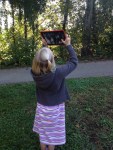
The newest step in this adventure is to also post QR codes around the school.  Parents can scan the QR codes to see the virtual projects or read more about the things their children have been creating in class.  It is a physical way to display work in the hall with a digital link.  Take look at some of the teachers’ displays:

I’m really excited about the ways teachers are taking technology to the next level at Oak Grove.  Stop by their site and see what you think!

Posted in iPad, Projects, QR Codes, Reading, Roanoke County Schools, Writing

A Wild, Wonderful World

Students in Mr. Ryder’s class embarked on a project allowing them to explore the world around Oak Grove Elementary, searching for hidden beauty and wonder.  It was based on the story Wild Shots, written by Tui De Roy for Ranger Rick magazine.  In the article, Tui shared her “Up-Close and Personal” approach to nature photography.  During a four session project, students used iPads to take pictures of things animals, plants, or anything that fascinated them.

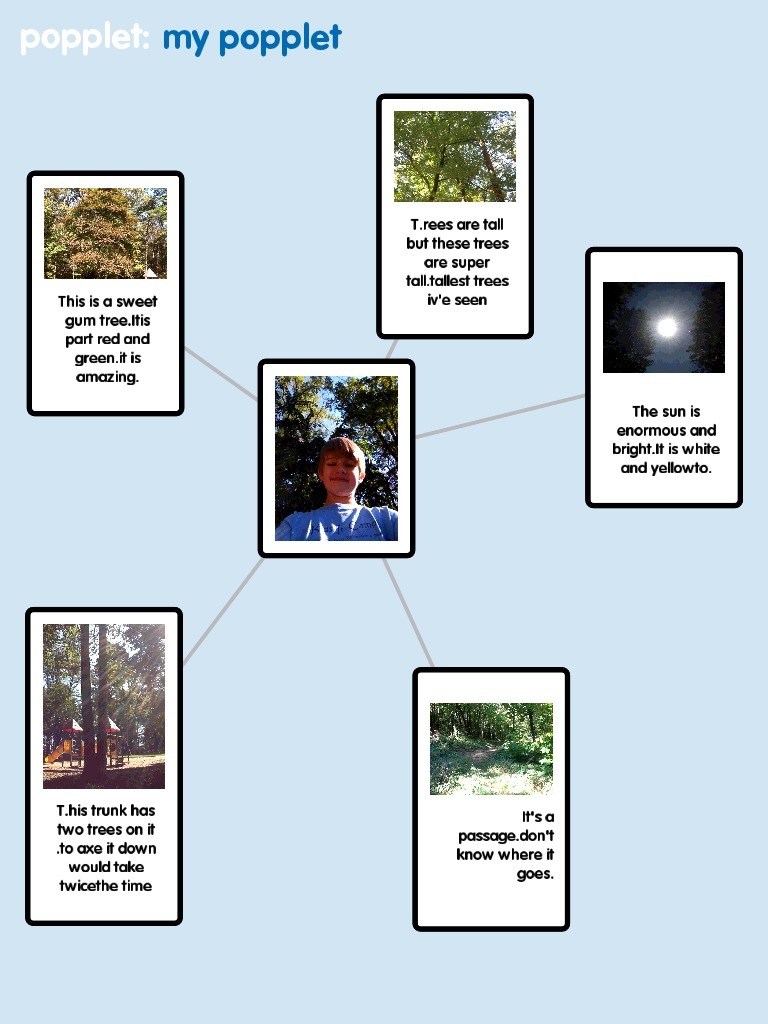
They created descriptions about their pictures using the app, Popplet.  Then using the app Videolicious, they created a slide show with their pictures and descriptions.  On the final day of the project, they presented their slide show to the class.  To display them in the hall, they posted their popplets with QR code links to their videos.


Here’s one example:

Watch the example video here.

2-17

You can see all the project on the Oak Grove Digital Library, complete with Popplets and Videos!  Please take a look.  The kids are so proud of their work.


Posted in Projects, QR Codes, Roanoke County Schools, STEM

STEM in 4th Grade Virginia Studies at Clearbrook

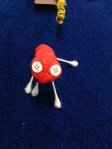
Students at Clearbrook in Mrs. Schlosser’s class participated in a STEM project to learn more about the Regions of Virginia.  Students were divided into groups and given boxes and various art supplies (paper, Q-tips, playdough, puff balls, yard, beads, and a few other supplies).  Using the materials they had and research materials (textbooks and various websites), their task was to create a Mystery box full of clues about the region of Virginia their group was assigned.

They needed to have at least 14 clues, including clues about products, industries, land forms, water features, animals, renewable and non-renewable resources. At least four of the items had to be 3-dimensional, and one clue could be a written word.

At the very end, students created a QR code to place on their box with the answer to the “Mystery Region.”  Other students can now use the clues in the box to guess what region the box represents, and then check their answer by scanning the QR code.  They also wrote each day in their journals to describe what they had learned during their work that day.

Not only did students learn about the Regions of Virginia with this project, they used the 21st Century Skills of Collaboration, Communication, Creativity, and Problem Solving.

I can’t take credit for writing this activity.  It was written by a group of us during a STEM committee meeting.  Here are the handouts if you want a look!

It’s a Mystery Design Brief

It’s a Mystery Student Checklist

It’s a Mystery Journal Prompt

Posted in iPad, iPod Touch, QR Codes, Roanoke County Schools

Safe QR Code for YouTube Videos

Want to have a video center using iPads and iPods and Youtube videos?  Want to make sure there’s no ads or other videos included?  Then use SaveShare.TV.

AND…you can even use this site in conjunction with QR Code Generator to create QR Codes that link to these safe videos.  Here’s how:

1) Find the video you want to use on YouTube.

2) Copy the link into SafeShare.TV Site.

3) Copy the link you get from SafeShare to a QR Code Generator.  Make sure you choose “website url” for this, not Youtube Video.

4) Download the QR code for that video to use.  We use QR Code Readers such as i-nigma and Scan on the iPads and iPod Touches to scan the QR codes and watch these videos.

Try it out with the QR Code below: