What does it mean to be a trustworthy digital citizen?
Here are some questions for your students to consider:
1. What does it mean to be trustworthy with technology devices at school?
Computers?
iPads or iPods?
Printers?
Laptops?
2. What does it mean to be trustworthy online, at school and at home?
When doing research online? (copyright)
When gaming, especially gaming with chats?
When uploading photos or videos to websites? (consider what types of pictures you are uploading? Have the people in the picture given permission for you to upload it? Is it something you want the whole school to see? Your grandmother to see?)
With passwords or personal information?
3. What does it mean to be trustworthy with a phone, iPad or iPod Touch or any other device that allows you to send text messages and pictures?
With what you text…
With who you text…
If you need any more discussion starters or information on a specific topic, let me know. It really will work best if you integrate this within other topics so it’s more of a conversation than an “internet safety” lesson…use those teachable moments. Blogging and using devices like iPads or laptops will hopefully help those moments arise more organically. 🙂

Have you heard of Flocabulary? It’s a website that does hip hop songs to help students remember certain facts. It started with SAT vocab, but has expanded to all levels and subjects. To have access to all the videos/songs you need to pay a fee, but a few are free…including the one for Egypt, which you can watch here.
Note the lyrics below the song (they are clickable) and the resources to go with it on the right hand side of the page. I will warn you…you will be singing the chorus to this in your head all day after you hear it, or at least I did! 🙂
You’ve seen them, right? On the corners of mailings, on the windows of businesses, maybe even on the tags of things you buy. You may have even used them…used your phone to scan one and get coupons or reviews for a business or more info on a product. But did you know they are being used like crazy in classrooms?
Here’s one of my favorite videos about the use of QR codes in the classroom.
And here’s one based more for elementary school:
So basically to use QR codes, you need the following things:
QR Code Generator (usually a website that will easily make the code for you)
A device with a camera to read it(iPod touch, iPad, cell phone, or computer with webcam)
QR Code Reader (which you download to the device with a camera
Want to create a QR code? It’s easy…your students can even do this!
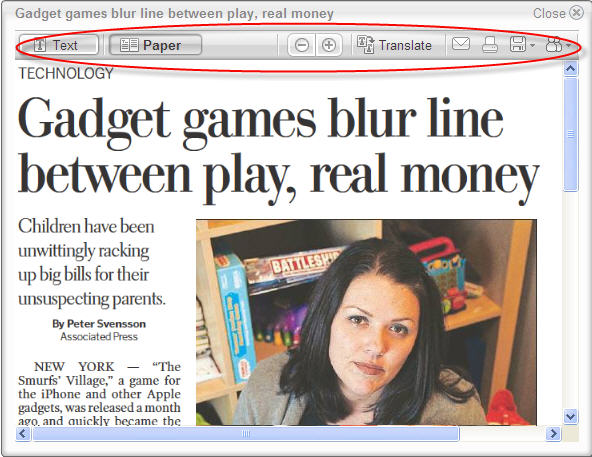
If you teach in the Roanoke Valley, you have access to Newspapers in Education. If you’ve used this service in the past, chances are you received paper copies of the Roanoke Times delivered to your classroom each day, for FREE. Now the service has improved even more…the Roanoke Times can now be viewed in a digital form, online, for FREE. It’s available for use in the computer lab, on your laptop, on your activboard, and even at home. And students can access too! It looks exactly like the paper version, but since it’s digital, it’s even better.
Electronic Edition of NIE
With the digital version you can
search for specific things using a search box
email or print articles with both text and pictures
get inserts from any area in the county
see past issues of the paper (up to a month)
highlight certain sections, scan headlines, flip through pages
And yes, you can get the coupons!!
Article Options
Back Issues
I can see this tool being used by students of all ages. Students can use pictures as writing prompts, find and highlight certain words, view articles about their community, or use the coupons for math lessons. The weather section is great for all sorts of science and math activites, and older students can print or email specific artilces to their teachers along with their reactions or summaries.
In Roanoke County, we’ve set up accounts for our elementary schools to use. Just visit Newspapers in Education (nie.roanoke.com). Please see your ITRT for the student login/password (hint: it’s the same student login/password as the computers in our school). If you work for another division in the Roanoke Valley, or want your own teacher account, just enroll! You can also contact Trent Currin at 540-981-3286 or email her at Trent.Currin@roanoke.com.