Mrs. Vest’s Class created greenscreen videos about Egypt and China using Greenscreen by Doink! Check out their video creations below.
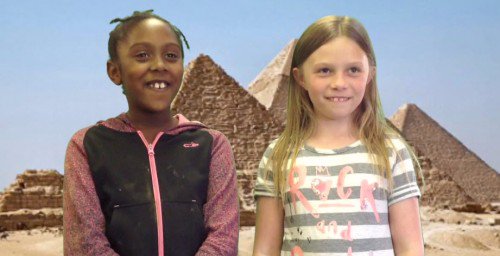
Mrs. Vest’s Class created greenscreen videos about Egypt and China using Greenscreen by Doink! Check out their video creations below.
Do you have a cell phone or iPad? Do your students have limited access to online devices? Then Plickers might be for you! Plickers is a simple tool that lets teachers collect real-time formative assessment data without the need for student devices.

Step 1: Teacher downloads the Plickers mobile app. It is free for both iOSand Android – find them on the App Store and on Google Play. It will work on iPads too (just make sure to search for iPhone app)!

Step 2: Print Plickers cards.
Step 3: Set up Classes on Plickers Website.
Step 4: Add Questions on the Plickers Website.
Step 5: On the mobile app, choose the question you want to use.
Step 6: Have students hold up cards with the correct answer facing right-side up. Scan the room with your phone/iPad.
Step 7: Use LiveView Tab on the Website to display results to students.
Step 8: Use Scoresheet under Reports on the Website to monitor student progress, save time on grading, and run detailed reports.
Check out this Slide Show for Help getting started or watch the video below:
How will you use Plickers in your classroom? I can’t wait to hear about it!

I just posted a lesson I’ve used with various 5th grade classes as they were studying fractions and decimals. We used the Lego EV3 robots, and were able to complete the activity in an hour.
Here’s how the activity works. Using a LEGO® MINDSTORMS® EV3 robot and a touch sensor, each group of students inputs a fraction. Then they convert the fraction into a decimal and a percentage using hand calculations, and double check their work using the EV3 robot. They observe the robot moving forward and record the distance it moves. Students learn that the distance moved is a fraction of the full distance, based on the fraction that they input. For instance, if they input ½, the robot moves half of the original distance. Using this information, students work backwards to compute the full distance. Groups then are challenged to move the robot as close as possible to a target distance by inputting a fraction into the EV3 bot. Four different challenges of increasing difficulty are available in this lesson. Most students complete 2 within an hour, but the extra are included for students who master the concepts quickly.
The kids had a blast with this lesson and were fully engaged. I love how it really makes them think about fractions in a real sense, and that they have to draw on their understanding to figure out the challenges.
If you have access to EV3 robots and want to try the lesson, you can get it here:


Mrs. Poindexter’s class used Pic Collage and Hands-on materials to compare fractions. Check it out!
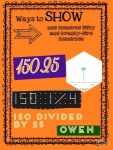
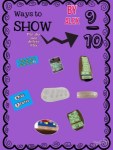
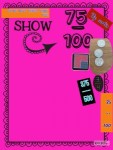


Mrs. Poindexter’s class created famous people and then brought them to life! Check them out below:
 Teaching with Technology