Posted in iPad, Projects, Roanoke County Schools, Spotlight on Apps

App Spotlight: PicCollage

I absolutely LOVE  Pic-Collage because it can be used in any subject or grade level. Think virtual poster.  It’s safe (you can turn off the ability to pull pictures from the web in settings), and it’s FREE.  It’s pretty intuitive if you play around with it, but just in case, here’s a tutorial on how to use it:

Pic Collage for IPad and IPhone Tutorial from Roben-Marie Smith on Vimeo.

Check out the following posts for examples of how it has been used so far in classrooms:

Figurative Language with Second Grade

Pic Collage in 4th Grade

I would LOVE to help you and your students learn how to use this app!!  It’s so fun and easy, and the kids love it!


Posted in Projects

Pic Collage in Fourth Grade

Students in Mrs. Mulvaney’s and Mrs. Downey’s class have been reading a book about the San Francisco Earthquake.  Mrs. Downey created an activity where students used iPads to demonstrate their understanding of the parts of a non-fiction book, as well as a few concepts from the book itself.  These students had worked with Pic Collage before when creating bat posters, but this is the first time they worked on a project without any technology support from me.  They did a wonderful job and even posted their creations on their blogs!  Check out a few examples below! If you would, while you are checking them out, leave a comment!  The student’s love to get comments on their work!

Kesha M

Merlin-S

Polar Bear

Tstey-Pooch


Posted in Projects, Roanoke County Schools, social studies

Famous People Glogs

Mrs. McGee’s class has been working hard on Glog using Glogster EDU to demonstrate their understanding of the famous people they have studied.  After a quick tutorial on how to use the programs, Mrs. McGee and her students were off and running.  Here are a few examples of their hard work.  Click on the top right corner icon to see them full size.
http://edu.glogengine.com/view/465JqtEmfYQjM34LaCMv:6ksobb0s6ukrk6mvn7toia0http://edu.glogengine.com/view/hmZbGuuCruVtV4eOTWe0:6ksahe1s980frfndq68fka0http://edu.glogengine.com/view/n388nyskdPYFyxWvYd1Y:6kslld9brbc8vjokp53t0a0http://edu.glogengine.com/view/n388nyskdPYFyxWvYd1Y:6ksobb36egu7sn53mfdpba0

You can see all the class’ glogs on this wiki: McGee’s Class

Posted in iPad, Projects, Reading, Roanoke County Schools

Figurative Language with Second Grade

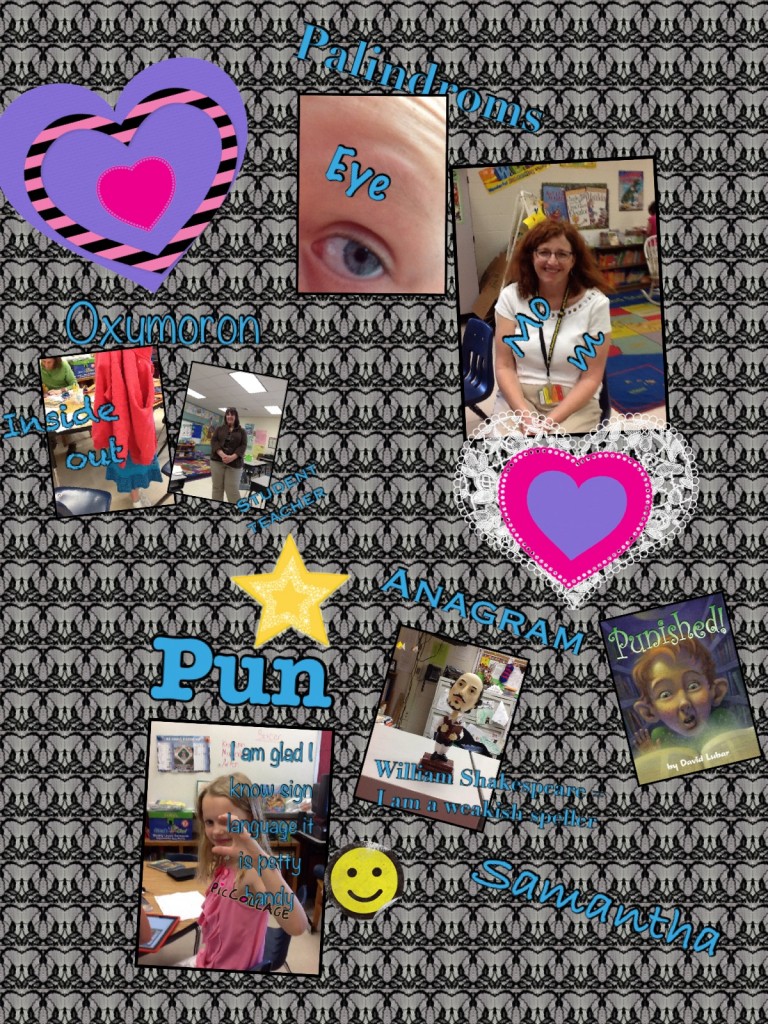
For the past few days, I’ve had the chance to work with a reading group in Mrs. Allen’s Class.  This group of students had read the book, Punished by David Lubar.  I had never read this book, but the kids LOVED it and were so excited to tell me about it.  The main character of the story is “punished” when talking back to the reference guy in the library and has to find different types of figurative language to lift the magical punishment.  The book covers types of figurative language (oxymorons, palindromes, anagrams, and puns).  Mrs. Allen wanted her students to practice creating (or finding) these types of words.

After brainstorming with the group of students, we decided that they would make a virtual poster (using iPads) containing an example of each word.  Students used the iPads to research and take (or find) pictures of the different word types.  As they went along, they kept a list of the examples they found so they would be ready to create their poster.

On day two, students used one of my favorite apps, PicCollage, to create their figurative language posters.  They were given this sheet to help them.  Below are the posters they created.


They did such a great job.  I had a blast watching their excitement over the project. Way to go Mrs. Allen’s Class!
Posted in Computer Lab, Fun, Roanoke County Schools, Tech Tools

Basic CTRL Key Shortcuts

We have these basic shortcuts hanging in our computer lab, and we teach students to use them when needed.  There are many more, but these are basic ones students find fun using.  If you want a list of them in Word Format, here it is: Basic CTRL Key Shortcuts

CTRL+C (Copy)

CTRL+X (Cut)

CTRL+V (Paste)

CTRL+A (Select All)

CTRL+Z (Undo)

CTRL+Y (Redo)

CTRL+O (Open)

CTRL+N (New)

CTRL+H (Hide)

CTRL+F (Find)

CTRL+P (Print)

CTRL+Q (Quit)

CTRL+U (Underline)

CTRL+B (Bold)

CTRL+I (Italic)

CTRL+Shift+> (BIG Text)

CTRL+Shirt+< (Little Text)