Posted in Blogs and Blogging, Projects, Roanoke County Schools

Glogging About Authors

Fourth Graders in Mrs. Corbett’s class created interactive posters about famous authors!  They used a service called Glogster Edu to create these posters!  Here are a few examples of their work.  You can see them all on the class wiki .

http://edu.glogster.com/flash/flash_loader.swf?ver=1298292890 

http://edu.glogster.com/flash/flash_loader.swf?ver=1298292890

It’s amazing how engaged the kids were while working in Glogster!  Here is a video shot from the work session.

Posted in Excel, Math, Projects, Roanoke County Schools

Stacking Oreos! (and graphing them too)

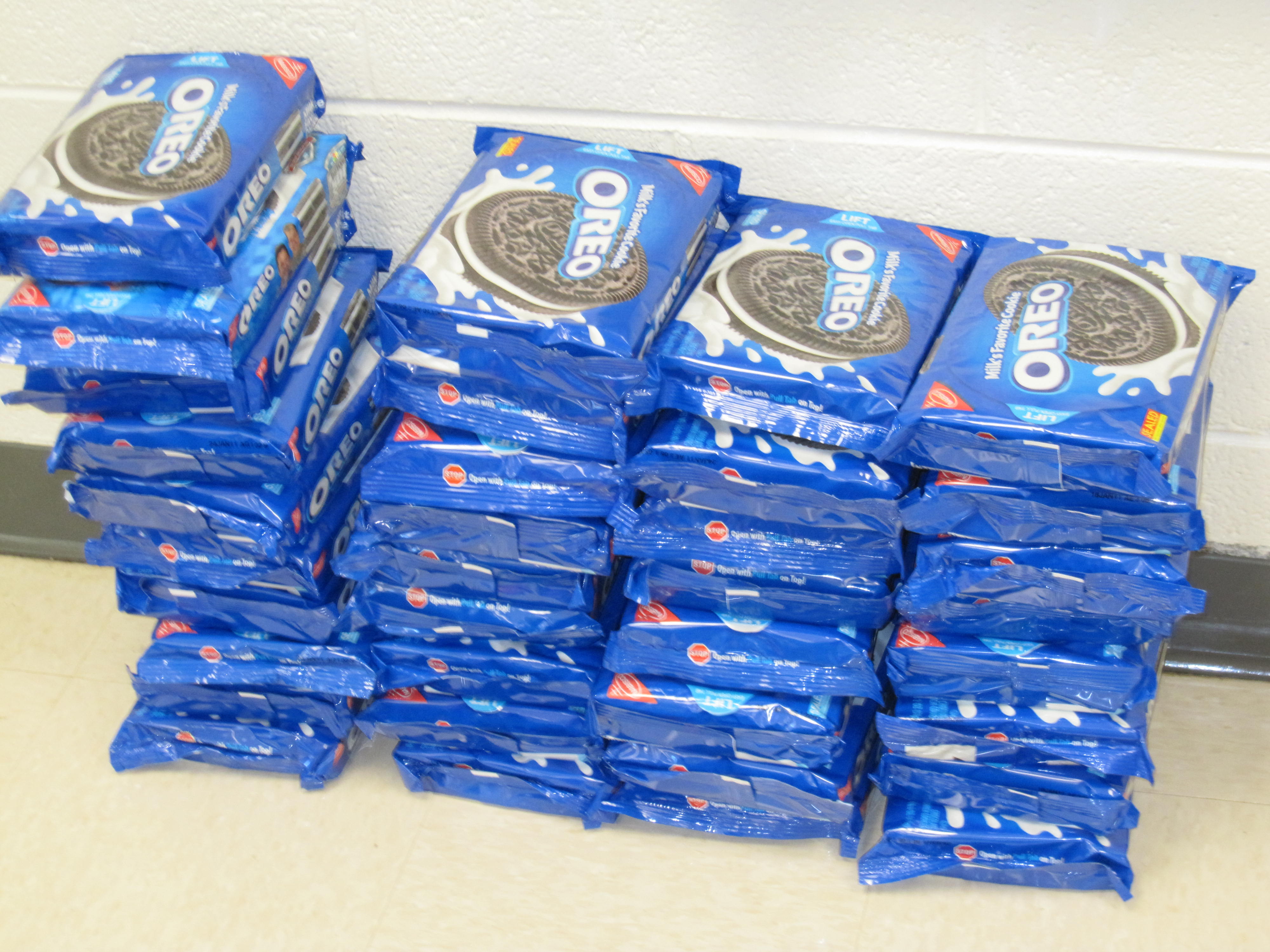
OreosA few weeks ago, students at Oak Grove and Clearbrook went Oreo crazy!  They brought in packages of the yummy cookies and tried to stack the tallest towers.  But it wasn’t just for fun…it was part of a global project with students all over the world participating!  You can learn more about the Oreo Project on Jen Wagner’s website.  This was the 12th year of the project, and this time 15,501 students participated from 719 different classes. 


IMG_0803After stacking oreos, different grade levels participated in different activities with the oreos, from science to math to writing.  Many classes created Excel Spreadsheets showing the average cookie stack, or the mode, median, mean, and range of the stacks.  They even used excel formulas for their calculations!  


 A few examples of their spreadsheets are shown below!

Mrs. Beir’s Class (Clearbrook — 3rd Grade)

http://www.box.net/embed/jbvts7i9vv0drnk.swf

Mrs. Hushour’s Class (Clearbrook — 3rd Grade)

http://www.box.net/embed/8uxgefi4fhqylcz.swf

Mrs. Bralley’s Class (Oak Grove — 3rd Grade)

http://www.box.net/embed/ffvtfngm36n4soa.swf
 

Mrs. Sharp’s Block 1 Class (Oak Grove — 5th Grade)

 http://www.box.net/embed/m0584jah192g8es.swf


Mrs. Sharp’s Block 2 Class (Oak Grove — 5th Grade)
http://www.box.net/embed/20veykortu0qnde.swf


Mrs. Mortez’s Block 1 Class (Oak Grove –5th Grade)
http://www.box.net/embed/5dzx3hzj54xmkji.swf

Mrs. Mortez’s Block 2 Class (Oak Grove — 5th Grade)
http://www.box.net/embed/ufijsvnfudk2xjp.swf

Mrs. Grave’s Class (Clearbrook — 5th Grade)
http://www.box.net/embed/x5aloxuaova6kua.swf

Mrs. Hudson’s Class (Clearbrook — 5th Grade)
http://www.box.net/embed/v8rmj830gq6q0jo.swf

Posted in Blogs and Blogging, Links, Salem City Schools

iGoogle Follow-up

Following the our iGoogle Workshop, I’ve had a few requests for blogs to add to your iGoogle page.  Here are a few I like to follow:

Technology in Elementary Classrooms:

Welcome to NCS-Tech
Instructional Technology Specialist
Artful, Tuneful, Beatful
Digital Passports
My Technology Journey
Primary Preoccupation
Tech Thoughts by Jen

Other ITRTs
(Pam Elgin) Technology Medley
(Meg Swecker) Giant Stride
(Brian McKee) Brians TRT Blog

I have many more of these if you want…

Gifted
(Amanda Gibson) The Gifted Corner

Smartboard Blogs:
Teachers Love Smartboards (probably my all-time favorite)
Talking SMARTBoards & Much More!

News:
BBC News in Pictures
CNN Top Stories
So Salem Blog
Roanoke Times

If you need help remembering how to add an RSS feed to your iGoogle Page, don’t forget to take a look at your iGoogle Handout.

If you find that you have a lot of blogs that you want to follow, it might be good to start using Google Reader.  Will visit that topic soon! 😉

Feel free to comment and add some of your favorites!

Posted in Links, Salem City Schools

New ITRT Site

The Salem ITRTs are happy to announce our new web site located here:
http://salem.k12.va.us/itrt
.

It’s far from complete, but please take a look at the Elementary section and then click on Links. Here you will find numerous links for your students to use in almost every subject. We will be adding to these throughout the year, so please let me know if there is a specific site you’d like to have added.  Soon, this area of the site will replace the “Links for Kids” site we have been using.

The Teachers Corner will eventually have links especially for teachers.  Support Materials include links to handouts that we have used in previous workshops as well as a few online tutorials. We hope to continue to add to these materials as time allows. Our ultimate goal is to provide a resource that you can use to enhance your use of technology in your instruction.

The Links pages are actually bringing in links from Delicious. You can check out our account here. If you click on one of the links pages and only see headers, you probably have an older version of Internet Explorer on your computer and we need to get you updated. You’ll be able to see the links though if you just refresh the page.

I hope you find this helpful!

Posted in Ideas, Salem City Schools, Tech Tools, TechABCs, Web 2.0

Do You Know Your Technology ABC’s?

Flip through the Technology ABC Voicethread below!

  • Which terms/sites/items have you used before?
  • Which ones are new to you?
  • How can you use these things in your classroom?

As you flip through the Voicethread, click on the link to explore more about each “letter,” leave a comment or two if you are familiar with some of the topics and have ideas on how to use them in your teaching , and stay tuned for some more detailed posts!!  I’d also be interested to know if you can think of anything to add.  AND, if you want to learn to use something new in your teaching, I’d love to help!  Leave a comment for that too!

http://voicethread.com/book.swf?b=328148

About this Project

Awhile ago, maybe even this summer, some discussion arose in Twitter and/or Plurk about the idea of a technology ABC poster (I’m sorry, I can’t remember exactly WHO started the discussion to give credit.  If it was you, leave me a comment please).   And through those discussions, Pam Elgin and I came up with the idea of a Technology Word Wall and started adding to the list using things that our teachers might use.  Pam recently worked very hard to create PowerPoint slides for this project on each letter, which you will soon see in our schools’ computer labs.  Meanwhile, I thought it would also be fun to post the final product in virtual form via VoiceThread, complete with links to each of the topics.  Hope you learn something from it!

Update:  Pam has posted the actual powerpoint file for you to download or print slides here!  Thanks, Pam!