Posted in Salem City Schools, Tech Tools

USB Drives

USB Drives 2                                   USB Drive

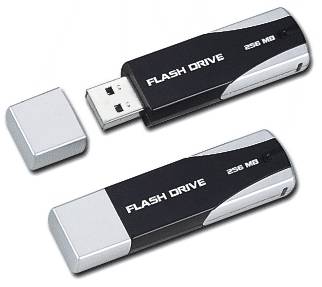
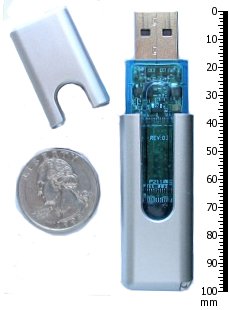
USB Drives (also called flash drives, pen drives, and jump drives) are small, portable drives where you can save files.  USB drives are the newer version of a floppy disk, but much, much better.  First of all, they store a lot more files.  Even the smallest USB drive (32MB) holds more information than 20 floppy disks.  The larger ones (1 or 2 GB) will hold much more: pictures, music, video, even programs.  Second of all, they are much more reliable than floppies, which are easily damaged.  Finally, they are small!  You can carry one in your purse, your pocket, even on your keychain!  To learn more about these neat little devices, click here.

Posted in Salem City Schools

Smart Boards

Both East Salem and G.W. Carver now have Smart Boards up and running!  In order to get the most out of these new tools, you might want to consider downloading the Smart Software onto your own computer.  Then you can create activities on a computer in your classroom or at home, save them, and use them later with the Smart Board.  You can also get a feel for how the software works.  Click here to get the software.

Posted in Food for Thought, Salem City Schools

How to Bring Schools Into the 21st Century (Time Magazine)

Have you read the cover story for this month’s Time magazine?  If you haven’t, check out a summary here.  It discusses the skills needed for our students to be successful in the 21st century.  Here’s a paragrah…. 

For the past five years, the national conversation on education has focused on reading scores, math tests and closing the “achievement gap” between social classes. This is not a story about that conversation. This is a story about the big public conversation the nation is not having about education, the one that will ultimately determine not merely whether some fraction of our children get “left behind” but also whether an entire generation of kids will fail to make the grade in the global economy because they can’t think their way through abstract problems, work in teams, distinguish good information from bad or speak a language other than English.

This conversation is being resonated in many of the blogs and podcasts I follow from some of the current great minds in technology and other fields.  It’s great food for thought!  Check it out

Posted in Salem City Schools

The Quick List of Technology Ideas!

Here is a quick list of 5 ideas to help you get started thinking about how we can work together.  Consider trying something that may take you out of your comfort zone, since you can rest assured that I will be there to help!! 

  1. Give me a unit you are studying, and I will help you think of things to do to support it with technology!  Make sure to give me at least a week–it’s best to contact me about the unit before you start teaching it. 
  2. Consider having your class, or a small group from your class, work on a podcast with me.  I will provide the planning worksheets and do the technical aspects of recording and editing–all you have to do is set aside a time for your students to write.  A podcast can be about any topic!  
  3. Set up the computers in your classroom as technology “stations.”  Allow students to record book reviews, collect data, or answer blog questions whenever they are finished with an assignment.  I’ll be happy to help you come up with ideas that go with your current unit of study, and teach your kids how to work in a station independently (grades 2-5).
  4. Attend a technology inservice.  Work with me to implement the ideas/ skills you learned in your classroom. 
  5. After studying a unit, have students create a project using technology (or with the option to use technology) as a cumulative activity.  You might also consider combining units across subject areas for the project.  I can assist with ideas, but here are few to get you thinking–Photostory or Movie Maker movie (pictures, sounds, words), Slide show presentations, desktop publications (brochures, newspapers, etc.), simple webpages, or a commercials.  This is a great way to “spice up” a unit.

All of these ideas will take time for me to put together, so please plan ahead.  As always, I’ll be more than happy to help you brainstorm through email or face to face in a meeting, whatever your schedule allows.  Just contact me! 

Posted in Salem City Schools

Kerio Calendar

Did you know that there is a calendar for your school right in your email account?  Here’s how to find it:

  1. Log into Kerio webmail
  2. In the folders pane to the left, scroll down until you see Public Folders
  3. If there is a + beside the folder, click on it. It will change to a – and open the folder.
  4. You should be able to see different calendars. There should be one for your school and one for the division.

I try and keep it up-to-date as soon as the princpals send out the Monday News.  If you know of something that needs to be added, please let me know, and I will be glad to do it!