 We are very lucky to have a group of 4th grade bloggers at East Salem lead by Mrs. Baer! Check out their blogs at 4th Grade Bloggers and please leave a comment or two!!
Websites to Use with the Smartboard
Finally, this wasn’t really a question, but it is a reminder from me. Don’t forget to use websites with SMART Boards.
I’m creating some ready-to-go pages listing websites (by subject) with links to sites that work well with SMARTboards. It’s taking me some time because there are so many out there. You can check out what I have at the moment on the SCS SMART Board Sites for Kids page (Your school homepage > Students > Links for Kids > SMART board sites for kids). Meanwhile, if you want to start looking for your own, or suggest some to me, that would be great! Here are a few sites that already list a bunch…
And this is a great blog to follow…Teachers Love SMART Boards….there’s always new and exciting posts about using SMART Boards in the classroom.
I keep a list in my delicious account too (though it is getting very long): http://del.icio.us/tcoffey/smartboard
While you are looking, if you find a good one, please, please leave me a comment and share it. I’ll add it to the SCS SMART Board page so that others can use it too!!
Pre-made Activities for the SMART Board
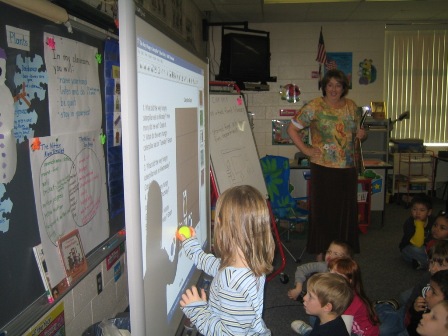 Next questions I’ve heard:
Are there other places to look for lessons (other than the Smart Site)? Where do I look?
Here are a few sites that have resources you can use “as is” or you can customize:
Rockingham County Teacher-made Lessons
Making Your Own Activities for the Smartboard
Once you have the SmartBoard Notebook Software on your computer, I highly recommend that you download and check out the Lesson Activity Toolkit. It contains interactive templates for different games and lessons. It contains fun ways to practice things like:
- Category sort – Organize key words into two categories
- Key word matching – Match key words to their definitions
- Multiple choice – Create up to 10 multiple choice questions
- Text reveal – Reveal 5 lines of text in your preferred order
- Word guess – Guess the letters of a key word up to 15 characters
All you have to do is add your content! Download it here. Don’t forget to take a look at the Quick Reference Guide they provide.
Using Word Docs and PowerPoints with the Smartboard
I’m dedicating the next two or three posts to answering some Smartboard questions that have been asked since our recent in-services. This is one I’ve heard a lot:
How do I use my Word Documents and PowerPoint shows with the Smartboard? It just so happens I ran across two really great 60 second videos to show you how!
Inserting a Word Doc into Smart Notebook:[kml_flashembed movie="http://www.youtube.com/v/yR95aDs1o4Q" width="425" height="350" wmode="transparent" /]
Inserting a PowerPoint into Smart Notebook:[kml_flashembed movie="http://www.youtube.com/v/VxnB-Ev_4RM" width="425" height="350" wmode="transparent" /]
A big thanks to the Brighton School System and their blog, 2020 Schools, for posting these videos! Check out their channel in itunes called, “:60 Sec. Tech.”
 Teaching with Technology