I’m in the middle of teaching Summer School to some great second graders, and they have been posting to a class blog to practice writing skills. They are really excited about the possibility of recieving comments from people, as well as intrigued with the cluster map on the blog. If you have a free moment, would you mind leaving them some comments? Click here to visit our class blog! Thanks!
Traveling Educators
If you haven’t guessed from reading my blog before, I love to travel. I know I’m not the only one. So, let’s see where we are all going this summer. Add a comment and tell me where…and if you can, add your location to the Google Map below. If you have trouble, I’ll add it for you once I see your comment. Let’s see how many different states (and countries) we will be visiting! And if you’ve been to the same location as someone else, maybe even leave a travel tip!
I’ll start…I’m going to Key West, Flordia. I hope to scuba dive, but I will at least snorkel while I’m there and enjoy the incredible (so I’ve heard) sunsets. Okay, your turn…
View Larger Map
Click here to add your vacation location (or leave a comment and I’ll add it for you!)
- Choose Save To My Maps
- Login if you need to (you must have a Google account to do this)
- Type in your vacation location in the search box and click search.
- When the Placemark appears on the map, click Save to My Maps, and choose Trips 2008.
Or just list it below in the comments, and I’ll add it. 🙂
Advertising AR with Voicethread!
Students who earned 100 or more AR points at East Salem Elementary created a Voicethread advertising their favorite Accelerated Reader Books. Here it is!

Quizdom PRS (Clickers) Tutorials
I know lots of teachers have wanted to use the Quizdom Personal Response System (clickers) this year but haven’t found the time to sit down and “play around” with the software. The software is installed on teacher laptops, so if you want to look at it over the summer (or just remember this post for next year), the Quizdom website contains some step-by-step tutorials you can check out to help. An example of one is below. To see more, click here.
http://www.qwizdom.com/Tutorials/creating%20new%20activity.swf
When visiting the site, I suggest you focus on the tutorials under in the middle of the page:
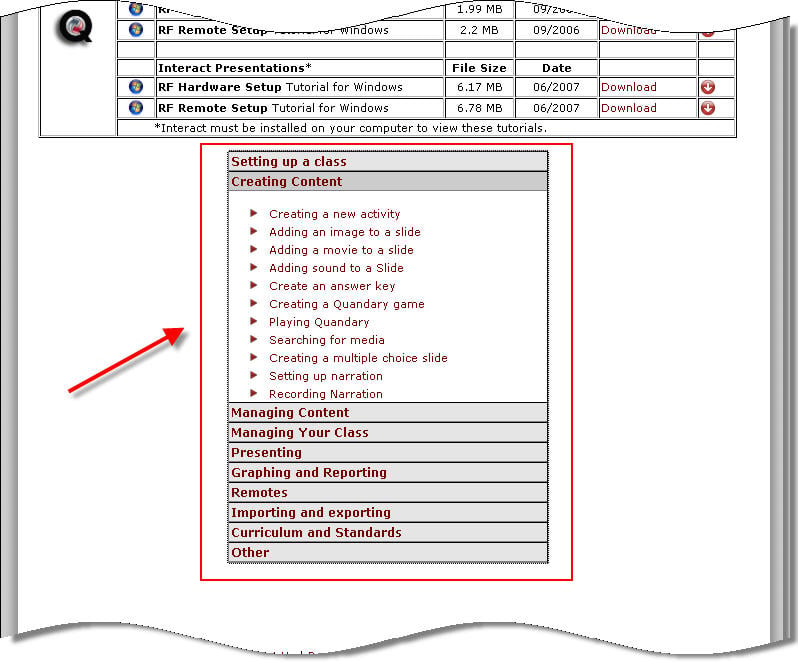
Please let you know if you create anything! It would be nice to gather a collection of Quizdom activities to be used across the division!
Picture Books for the Smartboard on Lookybook
A group of technology educators on Twitter have been passing around this great site for Early Readers on the Smartboard. It’s called LookyBook, and it presents picture books in a format that you can use on the Smartboard (or any computer, really). Here’s an thumbnail example I felt was appropriate for this time of year. Click on the book once to turn pages and twice to see the larger version on the Lookbook Website.
http://www.lookybook.com/embed/1498-embed.swf
Using the Smartboard, you can present a picture book in a way that all children can see it easily (or allow them to present it), AND you can WRITE on the book. Cirlce rhyming words, highlight descriptive words, pick out punctuation…all using the Smartboard pens. *The writing in a few of the books is pretty small, so you’ll have to check them out first to see if this will work.*
Another neat feature is that the site will allow you to customize your own virtual bookshelf where you can store your favorite stories. Currently there are over 300 books to choose from, but more are being added every day.
 Teaching with Technology