Posted in Links, Salem City Schools

Ways to Post Homework

This post is mainly for teachers at East Salem.  If you haven’t already switched from SchoolNotes to another service, we’d like you to try and make that switch as soon as possible.  Here are some ideas and examples.  Please let me know what you decide to do so I can make sure it’s linked with our school site!

Tested and Recommended:

1. Create a Webpage

Webpage example
Please email me and I can help you get set up quickly and easily!

2. Weebly

Weebly Example

3. Edublogs

Edublogs Example
Please let me know if you choose this so I can turn off the ads for you.

4. Classblogmeister

Classblogmeister Example
(Please email me for East Salem’s school code)

Other ideas:

1. Tumblr

2. Google Pages

Google Pages Example

3. Posterous

Update by sending an email and it appears on your web page like a blog.

Posted in Ideas, Links, Salem City Schools

Easy Jeopardy Game Maker (Without PowerPoint)!

Want to quickly make Jeopardy games to play with your class without the hassel of editing a bunch of templates?  Check out this amazing new resource, Jeopardy Labs!

Here’s a sample game.  Students click on the point amounts to view questions, and then keep score at the bottom of the board with the + and – signs.  It will allow you to keep score for up to 10 teams!

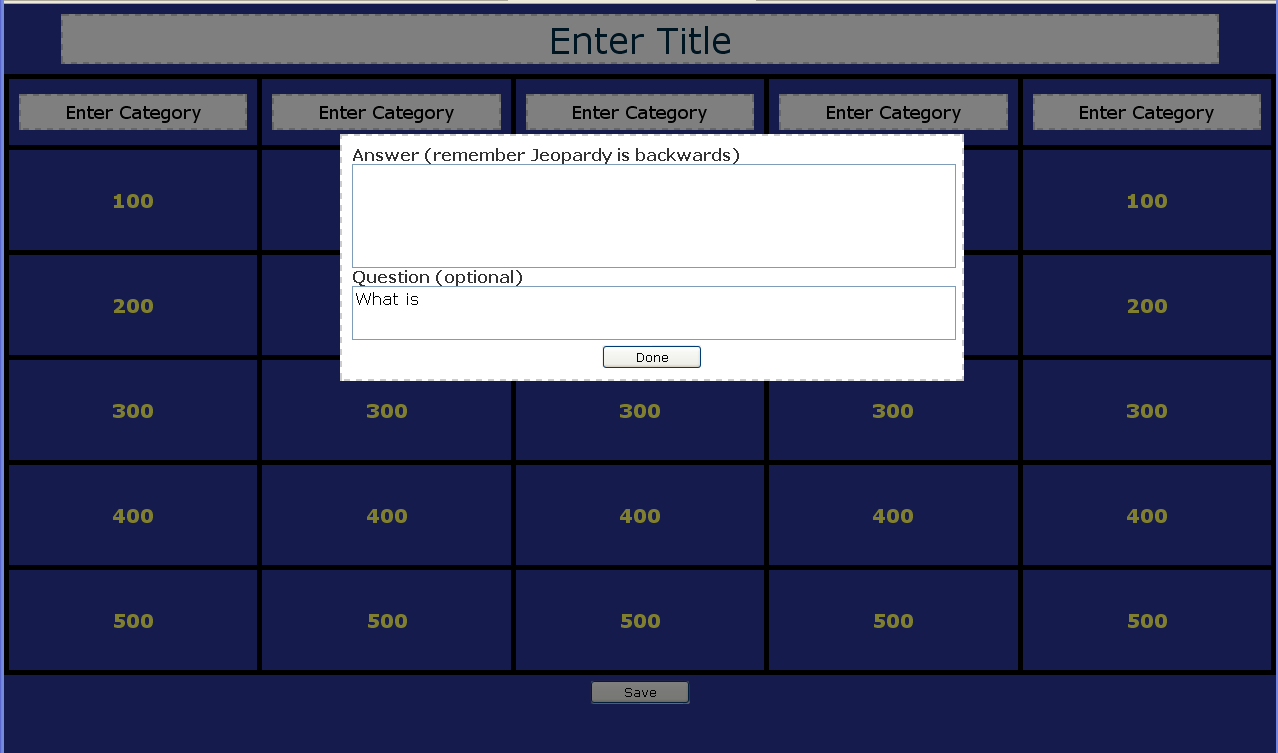
Creating your own game is easy too.  You just click in the Title and categories to edit, and click on the point amounts to add new questions.  When you are finished creating a game, the site will give you a web address to your game.  Hang on to it to find your game again!

This is hands down the BEST resource I’ve found to date to create your own Jeopardy game!

Posted in Links, Salem City Schools

New ITRT Site

The Salem ITRTs are happy to announce our new web site located here:
http://salem.k12.va.us/itrt
.

It’s far from complete, but please take a look at the Elementary section and then click on Links. Here you will find numerous links for your students to use in almost every subject. We will be adding to these throughout the year, so please let me know if there is a specific site you’d like to have added.  Soon, this area of the site will replace the “Links for Kids” site we have been using.

The Teachers Corner will eventually have links especially for teachers.  Support Materials include links to handouts that we have used in previous workshops as well as a few online tutorials. We hope to continue to add to these materials as time allows. Our ultimate goal is to provide a resource that you can use to enhance your use of technology in your instruction.

The Links pages are actually bringing in links from Delicious. You can check out our account here. If you click on one of the links pages and only see headers, you probably have an older version of Internet Explorer on your computer and we need to get you updated. You’ll be able to see the links though if you just refresh the page.

I hope you find this helpful!

Posted in Google Earth, Salem City Schools

Google Earth Updates!

The new Google Earth update offers some new features you might want to check out. It will take awhile for us to get the update in the labs (and we might wait until it’s out of beta), but meanwhile, with your teacher laptop and the Smartboard, you and your students can take advantage of these new features! (Feel free to download this new update by clicking here)

Historical imagery
Ocean floor and surface data
Simplified way to create tutors

Here’s a quick video outlining some of the cool, new features!