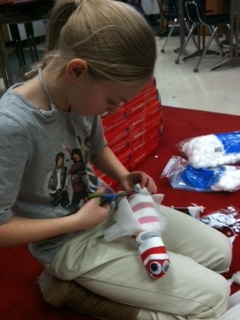
Need to know how to create a sock worm? Or banana split milkshakes? What about a pillow, potato woman, hamburger, or a friendship bracelet. Students in Mrs. Devlin’s class created videos to show you how!
In this project, they wrote step by step directions on storyboards, took pictures with digital camearas, and used photostory to record and create digital stories with step by step directions
Fourth Graders in Mrs. Corbett’s class created interactive posters about famous authors! They used a service called Glogster Edu to create these posters! Here are a few examples of their work. You can see them all on the class wiki .
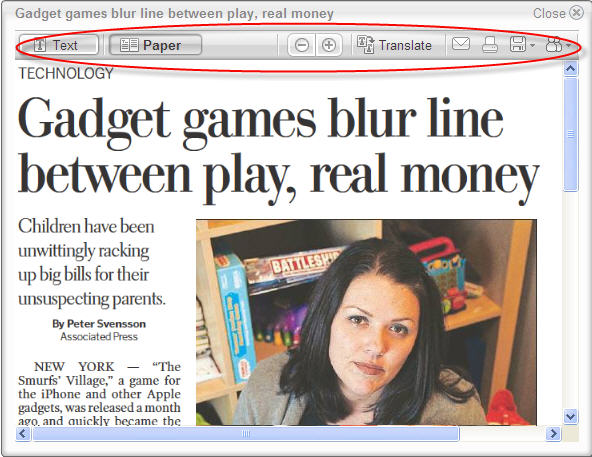
If you teach in the Roanoke Valley, you have access to Newspapers in Education. If you’ve used this service in the past, chances are you received paper copies of the Roanoke Times delivered to your classroom each day, for FREE. Now the service has improved even more…the Roanoke Times can now be viewed in a digital form, online, for FREE. It’s available for use in the computer lab, on your laptop, on your activboard, and even at home. And students can access too! It looks exactly like the paper version, but since it’s digital, it’s even better.
Electronic Edition of NIE
With the digital version you can
search for specific things using a search box
email or print articles with both text and pictures
get inserts from any area in the county
see past issues of the paper (up to a month)
highlight certain sections, scan headlines, flip through pages
And yes, you can get the coupons!!
Article Options
Back Issues
I can see this tool being used by students of all ages. Students can use pictures as writing prompts, find and highlight certain words, view articles about their community, or use the coupons for math lessons. The weather section is great for all sorts of science and math activites, and older students can print or email specific artilces to their teachers along with their reactions or summaries.
In Roanoke County, we’ve set up accounts for our elementary schools to use. Just visit Newspapers in Education (nie.roanoke.com). Please see your ITRT for the student login/password (hint: it’s the same student login/password as the computers in our school). If you work for another division in the Roanoke Valley, or want your own teacher account, just enroll! You can also contact Trent Currin at 540-981-3286 or email her at Trent.Currin@roanoke.com.
This is what’s been jazzing me lately in the world of technology. I love watching technology open doors…
Babies with iPads is another site that documents how this technology can “help children with disabilities develop their communication, play, pre-literacy, cognitive, visual/auditory and motor skills.”



 Teaching with Technology