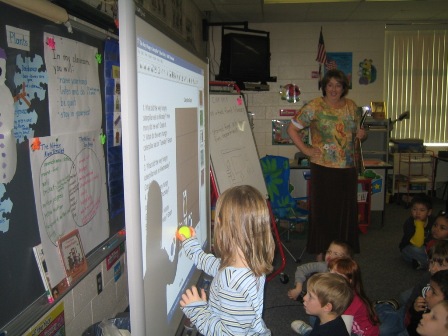
 Next questions I’ve heard:
Are there other places to look for lessons (other than the Smart Site)? Where do I look?
Here are a few sites that have resources you can use “as is” or you can customize:
Rockingham County Teacher-made Lessons
Next questions I’ve heard:
Are there other places to look for lessons (other than the Smart Site)? Where do I look?
Here are a few sites that have resources you can use “as is” or you can customize:
Rockingham County Teacher-made Lessons

If your class receives one of the monthly editions of National Geographic Explorer, you might want to check out the website that goes with the magazine!
National Geographic Young Explorer (Grades K-1)
Even if you don’t subscribe to the magazine, you will love this site! Here you will find an interactive version of the magazine posted online. It will read the stories to the students and allow them to virtually “flip” through the pages.
Suggestions:
Talk about a great way to use the Smartboard! Have your students find and underline important words, sounds, or punctuation and/or write in the answers to the question with the Smartboard pens.
Suggestions:
Have students watch videos and play games that align with units in Science, Health, and Social Studies. Read the stories and complete activities and games in Language Arts (like Photo Fill-ins or the Cartoon Factory). Have students research animals for projects and find information in the form of pictures, words AND video. Check out the Young Explorer World Atlas in Social Studies. There are so many things to choose from…take a look and see what you find!
This past year I’ve noticed that a bunch of educators in our system have started blogging. One of the easiest ways to keep up with all these new blogs (in one place) is to use RSS. Here’s a simple explanation created by commoncraft:
[kml_flashembed movie="http://www.youtube.com/v/AwtmOPdrEL8" width="425" height="350" wmode="transparent" /]
I use Google Reader, but there are other feed readers out there like Pageflakes or Netvibes. If you want one already set up for you, check out this one on Pageflakes–it’s all set up for Salem City Schools, complete with RSS feeds for the blogs I know about (let me know if I’ve missed yours), local weather, and local news. You can bookmark it and use it like it is or create your own account so you can add your own things.
Download Video: Posted by tcoffey at TeacherTube.com.
Update (1/7/08)
I’ve noticed that Pageflakes sometimes runs really slow at school. If you are having trouble, you can use Netvibes instead. I’ve set up the same feeds there too. Netvibes does take awhile to load initially, but if you login and save the page, the next time you visit, it will load a lot quicker. Click here to try:  After you click on this button, make sure to choose “yes” to preview the page and “yes” to add it to your page, even if you do not have a Netvibes account yet.
I thought this site (which lets you custom create a map of states) is pretty fun. Here are the places I traveled in 2007. I’ve have to do some research back into vacations during my childhood to figure out where I’ve been in my lifetime…we did a lot of driving when I was little.
create your own visited states map
There is also a site that will create a custom map of countries…here’s my very limited map of my lifetime…
create your own visited countries map
I could see uses for these sites in the classroom (beyond where you’ve traveled) like stories the class has read from around the world or correspondence with other classrooms or a Flat Stanley project. Do you have any ideas?
We have two new pieces of equipment at East Salem thanks to a Food Lion Grant. They are called Flip Videos. These cute little devices will record video with the push of a button…and they attach directly to your computer to remove the videos when they are done. And, if that wasn’t cool enough, they also come with their own video editing software, running right on the camera itself (so nothing to install beforehand). When we bought them, our hope was that they’d be used by kids! So, what better way to tell the teachers about them than to let the kids do a demo? I found a few kids from Mrs. Chittum’s class and handed them the cameras…no instructions on how they worked. In less than 30 sec. they were taping one another…then we were off to do interviews! Here’s the video they made to show the teachers how these little gadgets work:
Download Video: Posted by tcoffey at TeacherTube.com.
If you are interested in having your students use these in class, see Luci to check them out.
 Teaching with Technology